
Master CO2Free in Minutes
Learn how to optimize your energy usage, reduce carbon emissions, and save money with our comprehensive step-by-step guide.
Getting Started
Set up your account in just a few steps
Create Your Account
Sign up with your email address and verify your account. We'll send you a confirmation email to ensure security.
Tip: Use a password manager to create a strong, unique password for your CO2Free account.
Complete Your Profile
Select your grid region to receive accurate carbon intensity data. This ensures all forecasts and recommendations are tailored to your local power grid.
Supported Regions:
 Turkiye
 Germany
 France
Access Your Dashboard
Once your profile is complete, you'll be redirected to your personal dashboard where you can view real-time grid data and start planning your energy usage.
Understanding Your Dashboard
Real-time insights at your fingertips
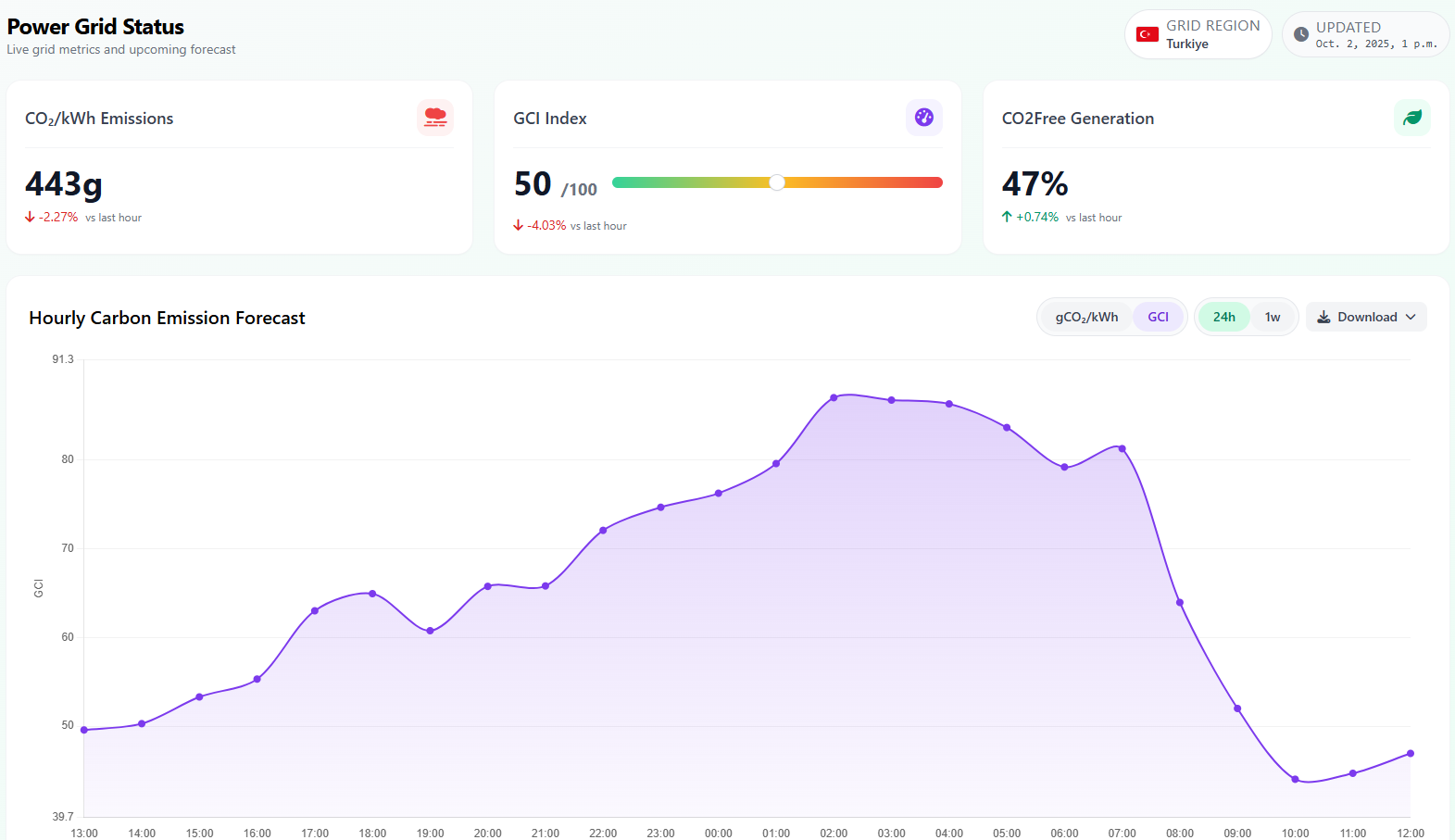
Your dashboard provides a comprehensive view of the current power grid status, helping you make informed decisions about when to use electricity.
Key Metrics Explained
CO₂ Emissions
Grams of CO₂ emitted per kilowatt-hour. Lower is better for the environment.
GCI Index
Grid Carbon Index from 0-100. Higher means more renewable energy in the mix.
CO2Free Generation
Percentage of electricity from renewable and nuclear sources.
Forecast Chart
The interactive chart shows predicted carbon intensity for the upcoming hours. Use the toggle buttons to switch between 24-hour and 7-day views. Subscribers get access to extended 7-day forecasts for better long-term planning.
Note: Forecasts are updated every hour based on the latest grid data and weather predictions.
Energy Planning
Plan loads, maintenance, and storage with precision
The planning feature is the heart of CO2Free. It aligns industrial loads, maintenance windows, and storage dispatch with low-carbon hours while respecting operational constraints.
Planning Modes
Load Planning
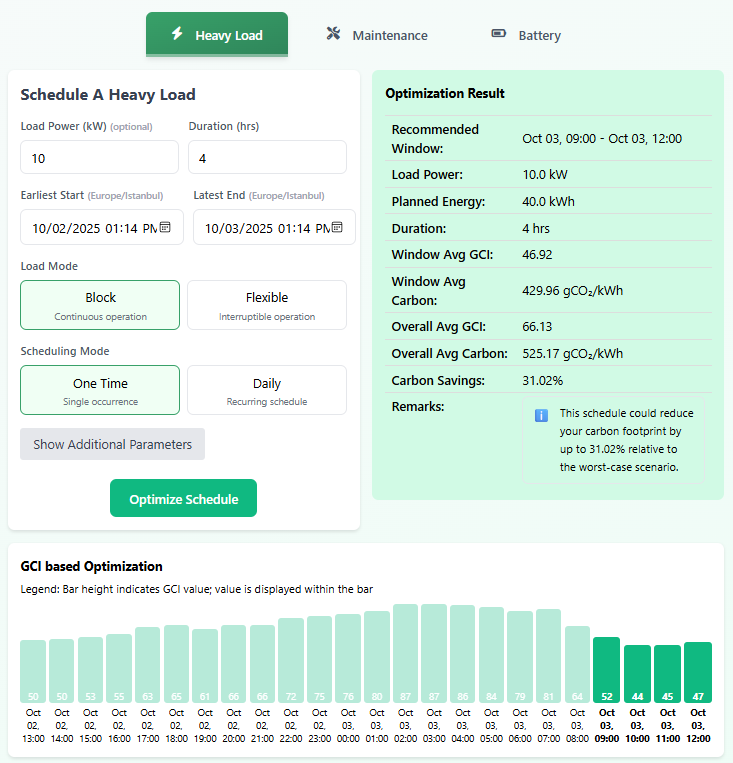
Schedule flexible industrial loads and batch processes into the cleanest windows. Define duration, shift boundaries, and minimum run requirements to keep production on track.
Maintenance Planning
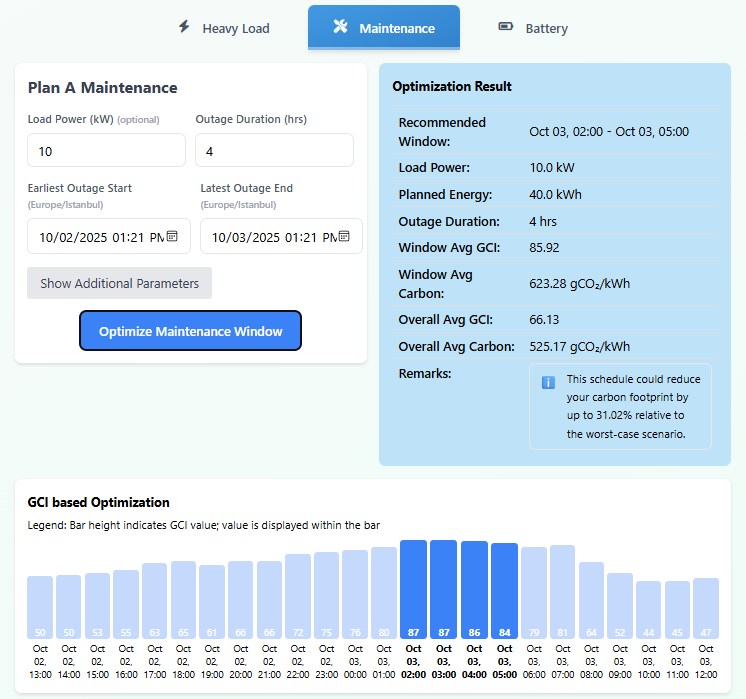
Identifies higher-intensity periods for planned downtime, so taking equipment offline has the lowest opportunity cost for low-carbon operations.
Use Case: Ideal for industrial maintenance windows, line changeovers, and safety inspections that must interrupt production.
Battery Optimization
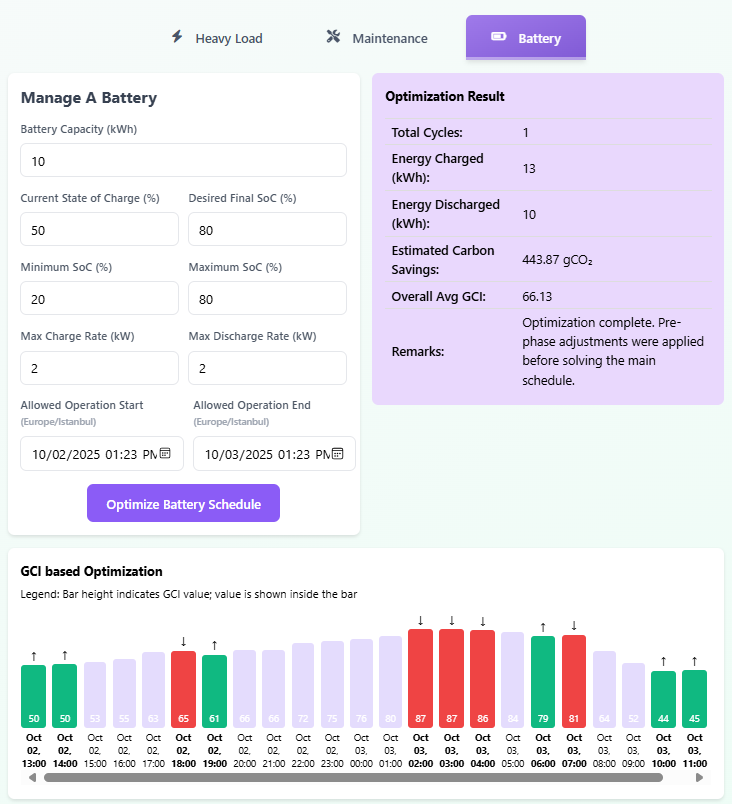
Optimize on-site storage dispatch for industrial or commercial systems. Balance tariff savings with emissions reduction using charge limits and operational guardrails.
Required Inputs:
- Battery capacity (kWh)
- Max charge/discharge rate (kW)
- Current state of charge
- Electricity buy/sell prices
How to Create a Plan
-
1
Navigate to Planning from the sidebar menu.
-
2
Select your planning mode (Load, Maintenance, or Battery).
-
3
Set duration, shift windows, and optimization constraints for your site.
-
4
Click Optimize to generate recommendations.
-
5
Review the results and Save to add to your reports.
Reports & History
Track your environmental impact over time
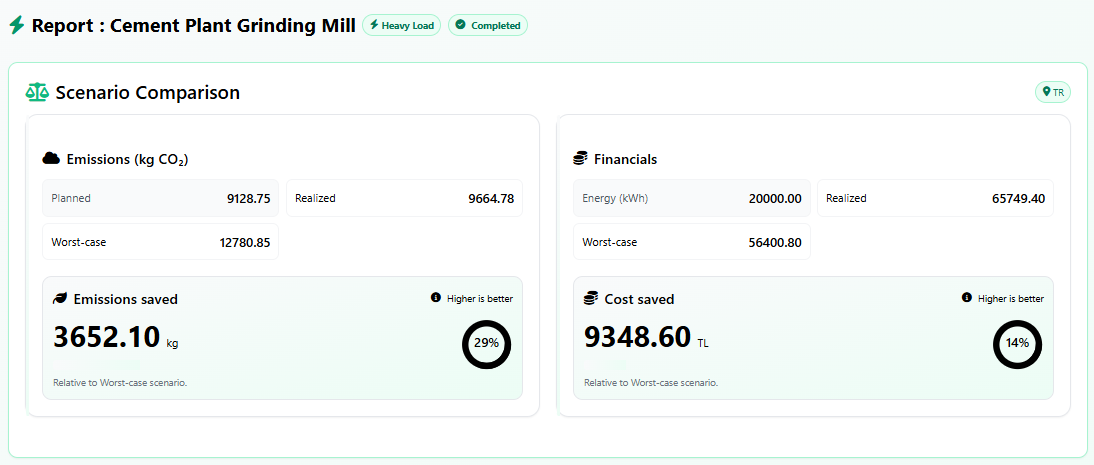
Every schedule you save is stored in your Reports section. This allows you to track your progress, compare actual vs. planned performance, and build a history of your environmental impact.
Reports List
- View all saved schedules with dates and types
- Quick glance at carbon savings for each schedule
- Filter and search through your history
- Delete schedules you no longer need
Report Details
- Hour-by-hour breakdown with charts
- Compare forecasted vs. actual emissions
- Re-optimize with updated data
- Export reports as CSV or PDF
Update Actuals Feature
After your scheduled task completes, return to the report and click "Update Actuals" to fetch the real emissions data. This lets you see how your planning compared to reality and improves future recommendations.
Subscription Benefits
Unlock the full power of CO2Free
Premium Features
Extended forecast horizon for better long-term planning.
Detailed insights and trends about your energy usage patterns.
Full access to the advanced battery scheduling algorithm.
Download your reports in CSV and PDF formats.
Managing Your Subscription
Access your subscription settings from the sidebar menu. From there you can:
- Update your payment method
- Switch between monthly and yearly billing
- View your billing history
- Cancel anytime (access continues until period ends)
Pro Tips
Get the most out of CO2Free
Tune Optimization Constraints
Use constraint parameters like shift windows, minimum run time, and max starts to match your real operating rules.
Compare Planning Scenarios
Duplicate a plan with different constraints or tariffs to compare emissions and cost tradeoffs before you commit.
Validate with Actuals
After execution, update actuals in your report to see forecast accuracy and improve future recommendations.
Operationalize Maintenance Planning
Use Maintenance Planning to choose higher-intensity windows for downtime without disrupting critical production.
Report Your Savings
Export reports to share verified CO2 and cost reductions with sustainability and operations teams.
Demonstrate Resilience
Track plan reliability and recovery metrics in reports to show how your site adapts to grid volatility.
Ready to Start Saving?
Put this knowledge into action. Log in to your dashboard and start optimizing your energy usage today.